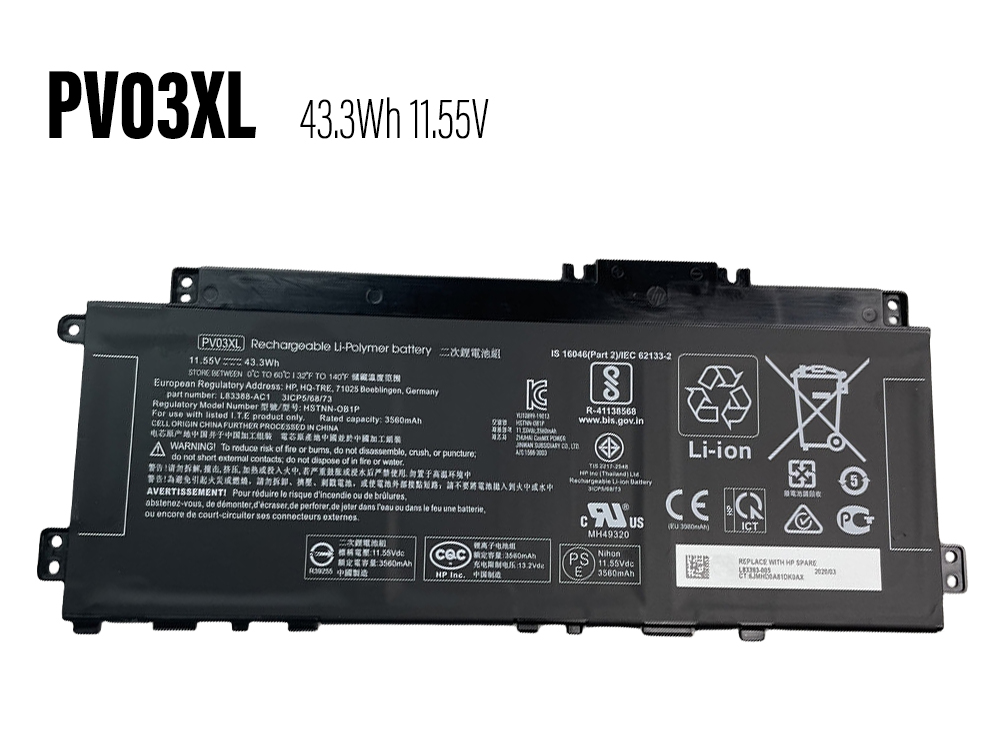
PV03XL

We focus on providing high quality batteries and related accessories. This New PV03XL Laptop Battery for HP Pavilion 13 14 15 X360 13-BB0005TU 14-DW0006UR is designed for long-lasting and stable performance. It provides a one-year warranty and has passed CE / RoHS / ISO9001 safety certification. Fast delivery and thoughtful after-sales service will make you feel assured to purchase.
 
  • Brand: HP Laptop Battery

  • Replaceable with the following models: PV03XL

  • Rechargeable battery type : Li-Po

  • Color: Black

  • Current : 43.3Wh

  • Voltage : 11.55V

  • Capacity : 43.3Wh

  • Encoding : HPP23JA1825

  • Supported models : 3ICP/5/68/73 3ICP5/68/73 HSTNN-DB9X HSTNN-LB8S HSTNN-OB1P L83388-421 L83388-AC1 L83393-005 M01118-421 M01118-AC1 M01144-005 PP03XL PV03043XL PV03XL

  • HP PV03XL compatible Laptop Battery model:
    For Hp
    Pavilion 13-bb0014TU,
    Pavilion 13-bb0005TU,
    Pavilion 13-bb0013nf,
    Pavilion 13-bb0000nc,
    Pavilion 13-bb0069TU,
    Pavilion 13-bb0047nr,
    Pavilion 13-BB0062TU,
    Pavilion 13-bb0750ng,
    Pavilion 13-BB,
    Pavilion 13-bb0075TU,
    Pavilion 13-bb0015TU,
    Pavilion 13-bb0015cl,
    Pavilion 14-DV,
    Pavilion 14(14-dv0000),
    Pavilion 15-EH,

  • Online store:
  • Ersatzakkus HP PV03XL

  • 互換 バッテリーHP PV03XL

  • Baterías para HP PV03XL

  • Akkus HP PV03XL

  • Batteria HP PV03XL

  • HP PV03XLBatteria di ricambio

  • Batteria di alta qualità per HP PV03XL

  • HP Battery
  • HP PV03XL Laptop Battery
    Compatible with HP Pavilion 13 14 15 X360 13-BB0005TU 14-DW0006UR battery
    Brand: HP Battery Capacity/Voltage : 43.3Wh 11.55V

  • HP PG06XL Laptop Battery
    Compatible with HP Omen 15-DH 15T-DH000 DH0XXX DH1019NR HSTNN-DB9F battery
    Brand: HP Battery Capacity/Voltage : 5676mAh/69WH 11.55V

  • HP SC04XL Laptop Battery
    Compatible with HP ENVY 14-EB M08254-1C1 M07392-005 HSTNN-IB9R battery
    Brand: HP Battery Capacity/Voltage : 3906mAh/63.32WH 15.4V

  • HP PD02XL Laptop Battery
    Compatible with HP PD02XL TPN-DB0H M38779-2B1 M38780-005 battery
    Brand: HP Battery Capacity/Voltage : 38Wh 7.7V

  • HP UR04XL Laptop Battery
    Compatible with HP Dragonfly Folio13.5inch G3 battery
    Brand: HP Battery Capacity/Voltage : 6624mAh/53.2Wh 7.7V

  • HP SS04XL Laptop Battery
    Compatible with HP Elite Dragonfly 13.3 G3 battery
    Brand: HP Battery Capacity/Voltage : 5673mAh/45.6WH 7.72V

  • HP VS08XL Laptop Battery
    Compatible with HP TPN-DB1F M86087-001 M85951-271 battery
    Brand: HP Battery Capacity/Voltage : 5907mAh/95WH 15.44V

  • HP SQU-1410 Tablet Battery
    Compatible with HP Pro Tablet 10 EE G1(H9X71EA) G1(L3Z82UT) battery
    Brand: HP Battery Capacity/Voltage : 7700mAh/28.49WH 3.7V

  •  

    How to care for your HP PV03XL Laptop Battery?


    This is the Replacement HP PV03XL Battery, You can extend the life of your laptop battery significantly through the proper care and handling of your battery.


    1. Any new PV03XL battery should first be fully charged by leaving it plugged in overnight. Once a computer battery is fully charged it will no longer accept any more power. It is a common practice to leave laptops plugged in after they have been turned off so that the battery has a full charge the next time you use your laptop. It is probably fully charged within 5 hours.


    2. A brand new PV03XL notebook battery is in a weakened condition since it has not been conditioned yet. Condition and break in your new battery by performing 5 partial discharge and recharge cycles the first week you receive your new battery.


    3. Run on battery power without the AC adapter cord at least once a week to keep the PV03XL battery cells active and at their peak potential. When your laptop is plugged into the power adapter the battery goes to 'standby mode' while your laptop runs directly on electricity from the wall outlet.


    4. Even though your battery indicates it is fully charged, your battery will return to a weakened state again in a few months if it does not get some exercise through partial discharge and recharge cycles while running on battery power alone.


    5. If your PV03XL battery has not been actively used 2 months or more, condition your battery again with 5 partial discharge & recharge cycles to increase the batteries capacity and run time.


    6. Don't run your battery all the way to empty. Your battery will have a longer service life if it receives shallow discharge and recharge cycles. Research has shown that the useful life of the battery will be much longer if you begin to recharge the battery any time before reaching 20% of the remaining power capacity. Recharging the PV03XL battery even after 10 minutes will not reduce the battery's life span as lithium batteries do not have the memory effect which was found in older NiCad battery technology. NiCad batteries have never been used in laptops, even the earliest models.


    7. Never run your battery below the 2% critically low warning point. If your battery is run below this point it may not have enough energy to even recharge. This may effectively 'kill' your PV03XL battery.

    anna 發表在 痞客邦 留言(0) 人氣()

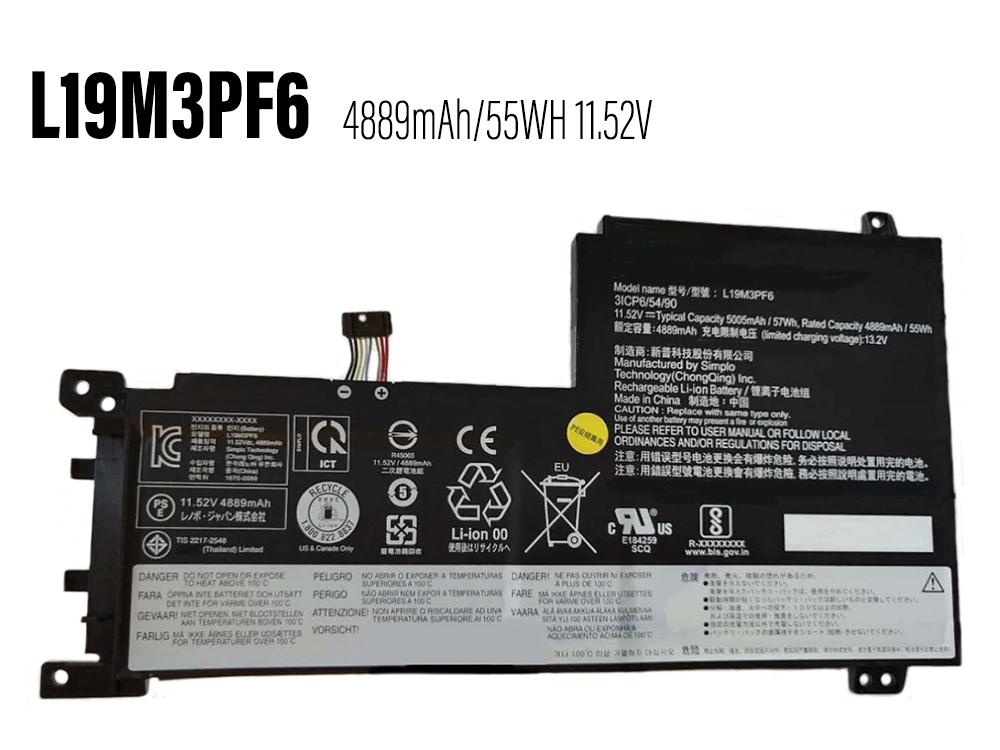
    L19M3PF6

    We focus on providing high quality batteries and related accessories. This New L19M3PF6 Laptop Battery for Lenovo IdeaPad 5 15IAL7 15iTL05 15.6inch is designed for long-lasting and stable performance. It provides a one-year warranty and has passed CE / RoHS / ISO9001 safety certification. Fast delivery and thoughtful after-sales service will make you feel assured to purchase.
     
  • Brand: LENOVO Laptop Battery

  • Replaceable with the following models: L19M3PF6

  • Rechargeable battery type : Li-ion

  • Color: Black

  • Current : 4889mAh/55WH

  • Voltage : 11.52V

  • Capacity : 55WH

  • Encoding : 24BA0118C191

  • Supported models : L19M3PF6

  • LENOVO L19M3PF6 compatible Laptop Battery model:
    For Lenovo IdeaPad 5 15IAL7 15iTL05 15.6inch

  • Online store:
  • Ersatzakkus LENOVO L19M3PF6

  • 互換 バッテリーLENOVO L19M3PF6

  • Baterías para LENOVO L19M3PF6

  • Akkus LENOVO L19M3PF6

  • Batteria LENOVO L19M3PF6

  • LENOVO L19M3PF6Batteria di ricambio

  • Batteria di alta qualità per LENOVO L19M3PF6

  • LENOVO Battery
  • LENOVO L19M3PF6 Laptop Battery
    Compatible with Lenovo IdeaPad 5 15IAL7 15iTL05 15.6inch battery
    Brand: LENOVO Battery Capacity/Voltage : 4889mAh/55WH 11.52V

  • LENOVO L21M2PJ0 Laptop Battery
    Compatible with Lenovo Laptop battery
    Brand: LENOVO Battery Capacity/Voltage : 2625mAh/20.26WH 7.72V

  • LENOVO L21B3P71 Laptop Battery
    Compatible with LENOVO ThinkPad Z13 Gen 1 battery
    Brand: LENOVO Battery Capacity/Voltage : 4305mAh/50.1WH 11.64V

  • LENOVO L21D4P73 Laptop Battery
    Compatible with Lenovo ThinkPad P16s Gen 1 battery
    Brand: LENOVO Battery Capacity/Voltage : 5395mAh/83.5WH 15.48V

  • LENOVO L21D4PE0 Laptop Battery
    Compatible with LENOVO YOGA PRO 14s 2022 battery
    Brand: LENOVO Battery Capacity/Voltage : 4446mAh/69WH 15.52V

  • LENOVO L19C4PD8 Laptop Battery
    Compatible with LENOVO YOGA DUET IML 2020 battery
    Brand: LENOVO Battery Capacity/Voltage : 5250mAh/40WH 7.68V

  • LENOVO L22B2PG2 Laptop Battery
    Compatible with LENOVO Laptop battery
    Brand: LENOVO Battery Capacity/Voltage : 4862mAh/37.3WH 7.68V

  • LENOVO L21C4PD0 Laptop Battery
    Compatible with LENOVO ThinkBook 13X Gen2 battery
    Brand: LENOVO Battery Capacity/Voltage : 3608mAh/56WH 15.52V

  •  

    How to care for your LENOVO L19M3PF6 Laptop Battery?


    This is the Replacement LENOVO L19M3PF6 Battery, You can extend the life of your laptop battery significantly through the proper care and handling of your battery.


    1. Any new L19M3PF6 battery should first be fully charged by leaving it plugged in overnight. Once a computer battery is fully charged it will no longer accept any more power. It is a common practice to leave laptops plugged in after they have been turned off so that the battery has a full charge the next time you use your laptop. It is probably fully charged within 5 hours.


    2. A brand new L19M3PF6 notebook battery is in a weakened condition since it has not been conditioned yet. Condition and break in your new battery by performing 5 partial discharge and recharge cycles the first week you receive your new battery.


    3. Run on battery power without the AC adapter cord at least once a week to keep the L19M3PF6 battery cells active and at their peak potential. When your laptop is plugged into the power adapter the battery goes to 'standby mode' while your laptop runs directly on electricity from the wall outlet.


    4. Even though your battery indicates it is fully charged, your battery will return to a weakened state again in a few months if it does not get some exercise through partial discharge and recharge cycles while running on battery power alone.


    5. If your L19M3PF6 battery has not been actively used 2 months or more, condition your battery again with 5 partial discharge & recharge cycles to increase the batteries capacity and run time.


    6. Don't run your battery all the way to empty. Your battery will have a longer service life if it receives shallow discharge and recharge cycles. Research has shown that the useful life of the battery will be much longer if you begin to recharge the battery any time before reaching 20% of the remaining power capacity. Recharging the L19M3PF6 battery even after 10 minutes will not reduce the battery's life span as lithium batteries do not have the memory effect which was found in older NiCad battery technology. NiCad batteries have never been used in laptops, even the earliest models.


    7. Never run your battery below the 2% critically low warning point. If your battery is run below this point it may not have enough energy to even recharge. This may effectively 'kill' your L19M3PF6 battery.


    anna 發表在 痞客邦 留言(0) 人氣()

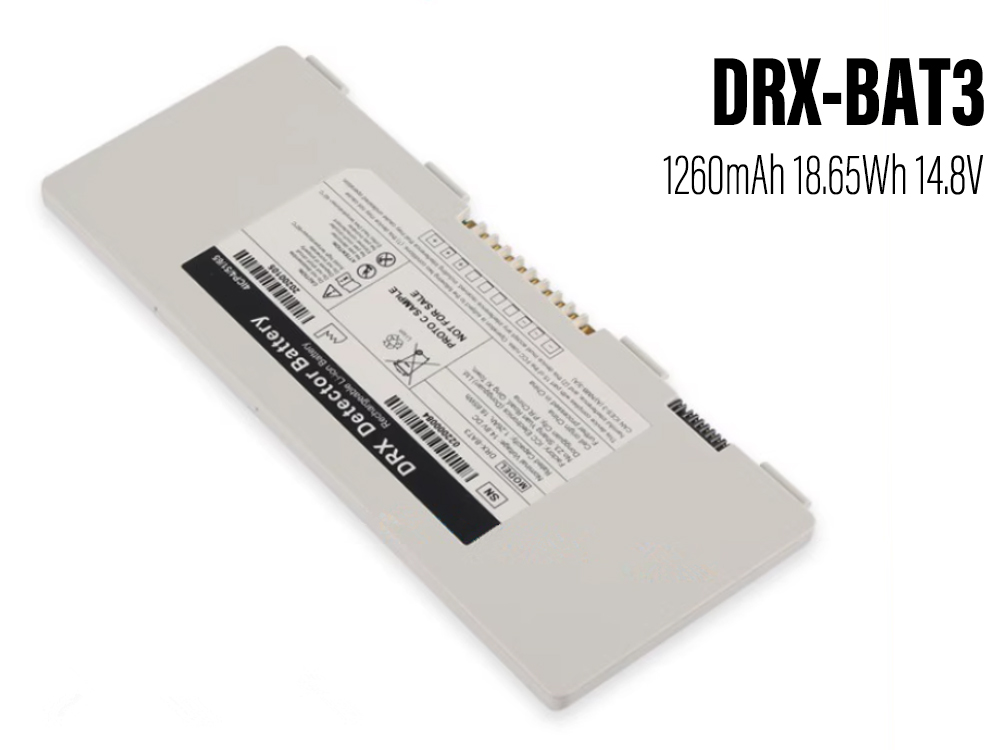
    DRX-BAT3

    Low Price & Brand new CARESTREAM DRX-BAT3 Rechargeable Battery discount,the DRX-BAT3 battery pack for Carestream HPX-DR 2530 detector save up top 30% off ! Our CARESTREAM battery replacement has built-in high-quality smart control chip to ensure perfect performance and compatibility. Quick, friendly and hassle-free customer support and a full one-year warranty: if something goes wrong, we are at your disposal.
     
  • Brand: CARESTREAM Rechargeable Battery

  • Replaceable with the following models: DRX-BAT3

  • Rechargeable battery type : Li-Po

  • Color: Black

  • Current : 1260mAh/18.65Wh

  • Voltage : 14.8V

  • Capacity : 18.65Wh

  • Encoding : CAR23JA1829_Oth

  • Supported models : DRX-BAT3

  • CARESTREAM DRX-BAT3 compatible Rechargeable Battery model:
    For DRX Detector Battery
    For Carestream HPX-DR 2530 Compact Detector
    For Carestream NDT Detector

  • Online store:
  • Ersatzakkus CARESTREAM DRX-BAT3

  • 互換 バッテリーCARESTREAM DRX-BAT3

  • Baterías para CARESTREAM DRX-BAT3

  • Akkus CARESTREAM DRX-BAT3

  • Batteria CARESTREAM DRX-BAT3

  • CARESTREAM DRX-BAT3Batteria di ricambio

  • Batteria di alta qualità per CARESTREAM DRX-BAT3

  • CARESTREAM Battery
  • CARESTREAM DRX-BAT3 Rechargeable Battery
    Compatible with Carestream HPX-DR 2530 detector battery
    Brand: CARESTREAM Battery Capacity/Voltage : 1260mAh/18.65Wh 14.8V

  • CARESTREAM 8G5132 Rechargeable Battery
    Compatible with Carestream DRX-1 System Flat Panel Digital Imager 450 battery
    Brand: CARESTREAM Battery Capacity/Voltage : 2.51Ah 35.4Wh 14.6V

  • CARESTREAM 8G5132 Rechargeable Battery
    Compatible with Carestream DRX-1 System Flat Panel Digital Imager 450 battery
    Brand: CARESTREAM Battery Capacity/Voltage : 2.1Ah 31.1Wh 14.8V

  •  

    Instructions for Use CARESTREAM DRX-BAT3 battery


    1. Do not disassemble, puncture, modify, drop, throw on the ground or otherwise damage the battery.


    2. Do not immerse the Battery CARESTREAM DRX-BAT3 in water or otherwise get wet.


    3. Do not use or charge battery that are leaking, appear to fade, rust or deform, emit odors or cause other abnormalities.


    4. Do not touch the leaked battery directly. Wear protective fabric to remove these battery and handle them immediately in the right way.


    anna 發表在 痞客邦 留言(0) 人氣()

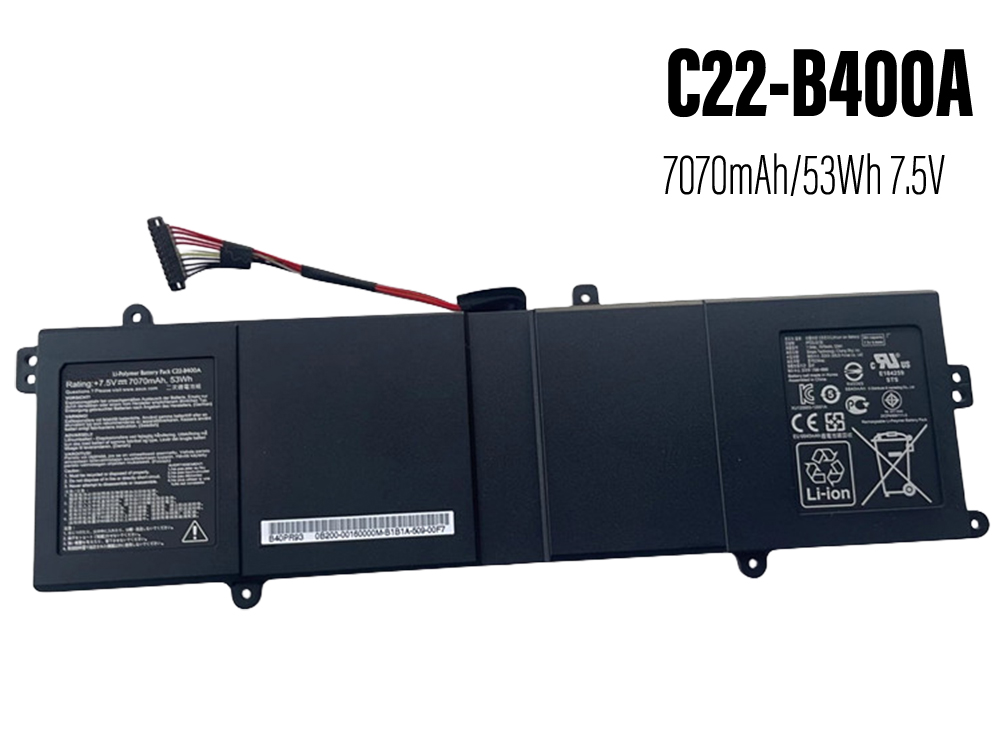
    C22-B400A

    We focus on providing high quality batteries and related accessories. This New C22-B400A Laptop Battery for Asus PRO ADVANCED BU400 BU400A BU400V Ultrabook is designed for long-lasting and stable performance. It provides a one-year warranty and has passed CE / RoHS / ISO9001 safety certification. Fast delivery and thoughtful after-sales service will make you feel assured to purchase.
     
  • Brand: ASUS Laptop Battery

  • Replaceable with the following models: C22-B400A

  • Rechargeable battery type : Li-ion

  • Color: Black

  • Current : 7070mAh/53Wh

  • Voltage : 7.5V

  • Capacity : 53Wh

  • Encoding : ASU2646NEW

  • Supported models : C22-B400A

  • ASUS C22-B400A compatible Laptop Battery model:
    For Asus PRO ADVANCED BU400 BU400A BU400V Ultrabook

  • Online store:
  • Ersatzakkus ASUS C22-B400A

  • 互換 バッテリーASUS C22-B400A

  • Baterías para ASUS C22-B400A

  • Akkus ASUS C22-B400A

  • Batteria ASUS C22-B400A

  • ASUS C22-B400ABatteria di ricambio

  • Batteria di alta qualità per ASUS C22-B400A

  • ASUS Battery
  • ASUS C22-B400A Laptop Battery
    Compatible with Asus PRO ADVANCED BU400 BU400A BU400V Ultrabook battery
    Brand: ASUS Battery Capacity/Voltage : 7070mAh/53Wh 7.5V

  • ASUS C22N1813 Laptop Battery
    Compatible with Asus ZenBook 14 UM431DA UX431FA battery
    Brand: ASUS Battery Capacity/Voltage : 6500mAh/51Wh 11.55V

  • ASUS C41N2102 Laptop Battery
    Compatible with Asus ROG Flow Z13 GZ301 NR2201 Series battery
    Brand: ASUS Battery Capacity/Voltage : 3510mAh/56WH 15.52V

  • ASUS C41N2110 Laptop Battery
    Compatible with Asus Zenbook 17 Fold OLED UX9702AA 0B200-042200 battery
    Brand: ASUS Battery Capacity/Voltage : 4705mAh/75WH 15.48V

  • ASUS C41N1825 Laptop Battery
    Compatible with ASUS ADOL13FN ADOL13U ADOL14FA X403FA-2C X403FA-2S battery
    Brand: ASUS Battery Capacity/Voltage : 4600mAh/72WH 15.4V

  • ASUS C41N1906-1 Laptop Battery
    Compatible with ASUS FA506Q FA506QR FA506QM FA706QM FX706H battery
    Brand: ASUS Battery Capacity/Voltage : 5675mAh/90WH 15.4V

  • ASUS C41N1906 Laptop Battery
    Compatible with ASUS GX550L GX550LWS GX550LXS GX551Q GX551QS battery
    Brand: ASUS Battery Capacity/Voltage : 5675mAh/90WH 15.4V

  • ASUS A41-X550A Laptop Battery
    Compatible with A450 A450CC A450LB A550 Series battery
    Brand: ASUS Battery Capacity/Voltage : 3350mAh/48Wh 14.4V/15V

  •  

    How to care for your ASUS C22-B400A Laptop Battery?


    This is the Replacement ASUS C22-B400A Battery, You can extend the life of your laptop battery significantly through the proper care and handling of your battery.


    1. Any new C22-B400A battery should first be fully charged by leaving it plugged in overnight. Once a computer battery is fully charged it will no longer accept any more power. It is a common practice to leave laptops plugged in after they have been turned off so that the battery has a full charge the next time you use your laptop. It is probably fully charged within 5 hours.


    2. A brand new C22-B400A notebook battery is in a weakened condition since it has not been conditioned yet. Condition and break in your new battery by performing 5 partial discharge and recharge cycles the first week you receive your new battery.


    3. Run on battery power without the AC adapter cord at least once a week to keep the C22-B400A battery cells active and at their peak potential. When your laptop is plugged into the power adapter the battery goes to 'standby mode' while your laptop runs directly on electricity from the wall outlet.


    4. Even though your battery indicates it is fully charged, your battery will return to a weakened state again in a few months if it does not get some exercise through partial discharge and recharge cycles while running on battery power alone.


    5. If your C22-B400A battery has not been actively used 2 months or more, condition your battery again with 5 partial discharge & recharge cycles to increase the batteries capacity and run time.


    6. Don't run your battery all the way to empty. Your battery will have a longer service life if it receives shallow discharge and recharge cycles. Research has shown that the useful life of the battery will be much longer if you begin to recharge the battery any time before reaching 20% of the remaining power capacity. Recharging the C22-B400A battery even after 10 minutes will not reduce the battery's life span as lithium batteries do not have the memory effect which was found in older NiCad battery technology. NiCad batteries have never been used in laptops, even the earliest models.


    7. Never run your battery below the 2% critically low warning point. If your battery is run below this point it may not have enough energy to even recharge. This may effectively 'kill' your C22-B400A battery.


    anna 發表在 痞客邦 留言(0) 人氣()

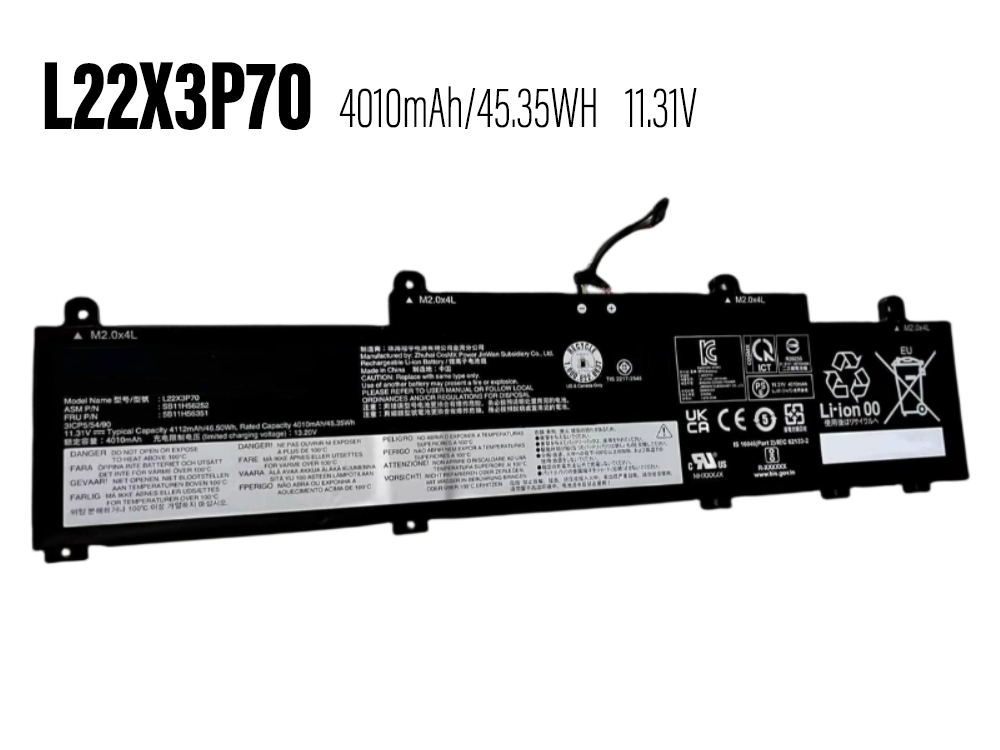
    L22X3P70

    We focus on providing high quality batteries and related accessories. This New L22X3P70 Laptop Battery for LENOVO L22B3P70 SB11H56251 5B11H56351 is designed for long-lasting and stable performance. It provides a one-year warranty and has passed CE / RoHS / ISO9001 safety certification. Fast delivery and thoughtful after-sales service will make you feel assured to purchase.
     
  • Brand: LENOVO Laptop Battery

  • Replaceable with the following models: L22X3P70

  • Rechargeable battery type : Li-ion

  • Color: Black

  • Current : 4010mAh/45.35WH

  • Voltage : 11.31V

  • Capacity : 45.35WH

  • Encoding : 24BA0102C139

  • Supported models : L22X3P70

  • LENOVO L22X3P70 compatible Laptop Battery model:
    For LENOVO L22B3P70 SB11H56251 5B11H56351

  • Online store:
  • Ersatzakkus LENOVO L22X3P70

  • 互換 バッテリーLENOVO L22X3P70

  • Baterías para LENOVO L22X3P70

  • Akkus LENOVO L22X3P70

  • Batteria LENOVO L22X3P70

  • LENOVO L22X3P70Batteria di ricambio

  • Batteria di alta qualità per LENOVO L22X3P70

  • LENOVO Battery
  • LENOVO L22X3P70 Laptop Battery
    Compatible with LENOVO L22B3P70 SB11H56251 5B11H56351 battery
    Brand: LENOVO Battery Capacity/Voltage : 4010mAh/45.35WH 11.31V

  • LENOVO L22B3PG4 Laptop Battery
    Compatible with LENOVO ThinkPad E14 ThinkPad E16 2023 battery
    Brand: LENOVO Battery Capacity/Voltage : 4068mAh/46WH 11.31V

  • LENOVO L22C4P71 Laptop Battery
    Compatible with LENOVO ThinkPad P16V G1 2023 battery
    Brand: LENOVO Battery Capacity/Voltage : 5671mAh/88WH 15.52V

  • LENOVO L19M4PH3 Laptop Battery
    Compatible with Lenovo Yoga Slim 7 Pro 14 14s 2021 battery
    Brand: LENOVO Battery Capacity/Voltage : 3847mAh/59.4WH 15.44V

  • LENOVO L21D3PC0 Laptop Battery
    Compatible with LENOVO IdeaPad Gaming 3 15IAH7 battery
    Brand: LENOVO Battery Capacity/Voltage : 3820mAh/44WH 11.52V

  • LENOVO L19D4PH3 Laptop Battery
    Compatible with LENOVO XIAOXIN Pro 14 2021 battery
    Brand: LENOVO Battery Capacity/Voltage : 3847mAh/59.4WH 15.44V

  • LENOVO L20M4P74 Laptop Battery
    Compatible with LENOVO ThinkPad X13 GEN2 GEN3 battery
    Brand: LENOVO Battery Capacity/Voltage : 3451mAh/53WH 15.36V

  • LENOVO L21C4P73 Laptop Battery
    Compatible with LENOVO ThinkPad X13 Gen 3 battery
    Brand: LENOVO Battery Capacity/Voltage : 6400mAh/49.5WH 7.74V

  •  

    How to care for your LENOVO L22X3P70 Laptop Battery?


    This is the Replacement LENOVO L22X3P70 Battery, You can extend the life of your laptop battery significantly through the proper care and handling of your battery.


    1. Any new L22X3P70 battery should first be fully charged by leaving it plugged in overnight. Once a computer battery is fully charged it will no longer accept any more power. It is a common practice to leave laptops plugged in after they have been turned off so that the battery has a full charge the next time you use your laptop. It is probably fully charged within 5 hours.


    2. A brand new L22X3P70 notebook battery is in a weakened condition since it has not been conditioned yet. Condition and break in your new battery by performing 5 partial discharge and recharge cycles the first week you receive your new battery.


    3. Run on battery power without the AC adapter cord at least once a week to keep the L22X3P70 battery cells active and at their peak potential. When your laptop is plugged into the power adapter the battery goes to 'standby mode' while your laptop runs directly on electricity from the wall outlet.


    4. Even though your battery indicates it is fully charged, your battery will return to a weakened state again in a few months if it does not get some exercise through partial discharge and recharge cycles while running on battery power alone.


    5. If your L22X3P70 battery has not been actively used 2 months or more, condition your battery again with 5 partial discharge & recharge cycles to increase the batteries capacity and run time.


    6. Don't run your battery all the way to empty. Your battery will have a longer service life if it receives shallow discharge and recharge cycles. Research has shown that the useful life of the battery will be much longer if you begin to recharge the battery any time before reaching 20% of the remaining power capacity. Recharging the L22X3P70 battery even after 10 minutes will not reduce the battery's life span as lithium batteries do not have the memory effect which was found in older NiCad battery technology. NiCad batteries have never been used in laptops, even the earliest models.


    7. Never run your battery below the 2% critically low warning point. If your battery is run below this point it may not have enough energy to even recharge. This may effectively 'kill' your L22X3P70 battery.


    anna 發表在 痞客邦 留言(0) 人氣()

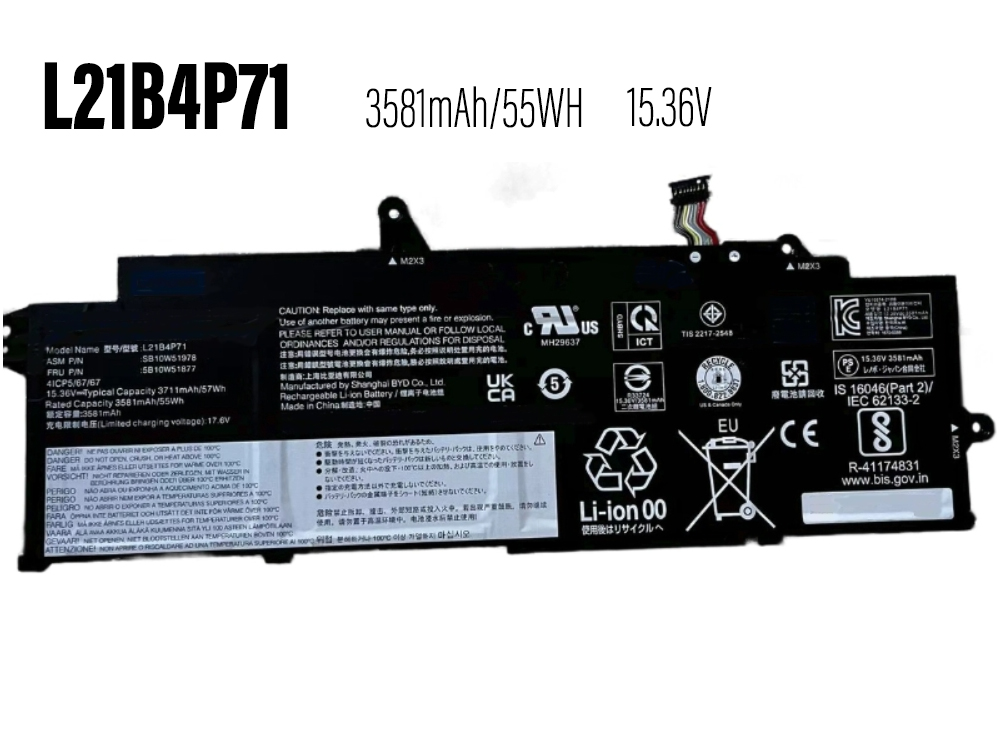
    L21B4P71

    We focus on providing high quality batteries and related accessories. This New L21B4P71 Laptop Battery for LENOVO ThinkPad X13 Gen 3 is designed for long-lasting and stable performance. It provides a one-year warranty and has passed CE / RoHS / ISO9001 safety certification. Fast delivery and thoughtful after-sales service will make you feel assured to purchase.
     
  • Brand: LENOVO Laptop Battery

  • Replaceable with the following models: L21B4P71

  • Rechargeable battery type : Li-ion

  • Color: Black

  • Current : 3581mAh/55WH

  • Voltage : 15.36V

  • Capacity : 55WH

  • Encoding : 24BA0103C141

  • Supported models : L21B4P71

  • LENOVO L21B4P71 compatible Laptop Battery model:
    For LENOVO ThinkPad X13 Gen 3

  • Online store:
  • Ersatzakkus LENOVO L21B4P71

  • 互換 バッテリーLENOVO L21B4P71

  • Baterías para LENOVO L21B4P71

  • Akkus LENOVO L21B4P71

  • Batteria LENOVO L21B4P71

  • LENOVO L21B4P71Batteria di ricambio

  • Batteria di alta qualità per LENOVO L21B4P71

  • LENOVO Battery
  • LENOVO L21B4P71 Laptop Battery
    Compatible with LENOVO ThinkPad X13 Gen 3 battery
    Brand: LENOVO Battery Capacity/Voltage : 3581mAh/55WH 15.36V

  • LENOVO L22B3PG0 Laptop Battery
    Compatible with LENOVO Laptop battery
    Brand: LENOVO Battery Capacity/Voltage : 4068mAh/46WH 11.31V

  • LENOVO L22X3P70 Laptop Battery
    Compatible with LENOVO L22B3P70 SB11H56251 5B11H56351 battery
    Brand: LENOVO Battery Capacity/Voltage : 4010mAh/45.35WH 11.31V

  • LENOVO L22B3PG4 Laptop Battery
    Compatible with LENOVO ThinkPad E14 ThinkPad E16 2023 battery
    Brand: LENOVO Battery Capacity/Voltage : 4068mAh/46WH 11.31V

  • LENOVO L22C4P71 Laptop Battery
    Compatible with LENOVO ThinkPad P16V G1 2023 battery
    Brand: LENOVO Battery Capacity/Voltage : 5671mAh/88WH 15.52V

  • LENOVO L19M4PH3 Laptop Battery
    Compatible with Lenovo Yoga Slim 7 Pro 14 14s 2021 battery
    Brand: LENOVO Battery Capacity/Voltage : 3847mAh/59.4WH 15.44V

  • LENOVO L21D3PC0 Laptop Battery
    Compatible with LENOVO IdeaPad Gaming 3 15IAH7 battery
    Brand: LENOVO Battery Capacity/Voltage : 3820mAh/44WH 11.52V

  • LENOVO L19D4PH3 Laptop Battery
    Compatible with LENOVO XIAOXIN Pro 14 2021 battery
    Brand: LENOVO Battery Capacity/Voltage : 3847mAh/59.4WH 15.44V

  •  

    How to care for your LENOVO L21B4P71 Laptop Battery?


    This is the Replacement LENOVO L21B4P71 Battery, You can extend the life of your laptop battery significantly through the proper care and handling of your battery.


    1. Any new L21B4P71 battery should first be fully charged by leaving it plugged in overnight. Once a computer battery is fully charged it will no longer accept any more power. It is a common practice to leave laptops plugged in after they have been turned off so that the battery has a full charge the next time you use your laptop. It is probably fully charged within 5 hours.


    2. A brand new L21B4P71 notebook battery is in a weakened condition since it has not been conditioned yet. Condition and break in your new battery by performing 5 partial discharge and recharge cycles the first week you receive your new battery.


    3. Run on battery power without the AC adapter cord at least once a week to keep the L21B4P71 battery cells active and at their peak potential. When your laptop is plugged into the power adapter the battery goes to 'standby mode' while your laptop runs directly on electricity from the wall outlet.


    4. Even though your battery indicates it is fully charged, your battery will return to a weakened state again in a few months if it does not get some exercise through partial discharge and recharge cycles while running on battery power alone.


    5. If your L21B4P71 battery has not been actively used 2 months or more, condition your battery again with 5 partial discharge & recharge cycles to increase the batteries capacity and run time.


    6. Don't run your battery all the way to empty. Your battery will have a longer service life if it receives shallow discharge and recharge cycles. Research has shown that the useful life of the battery will be much longer if you begin to recharge the battery any time before reaching 20% of the remaining power capacity. Recharging the L21B4P71 battery even after 10 minutes will not reduce the battery's life span as lithium batteries do not have the memory effect which was found in older NiCad battery technology. NiCad batteries have never been used in laptops, even the earliest models.


    7. Never run your battery below the 2% critically low warning point. If your battery is run below this point it may not have enough energy to even recharge. This may effectively 'kill' your L21B4P71 battery.


    anna 發表在 痞客邦 留言(0) 人氣()

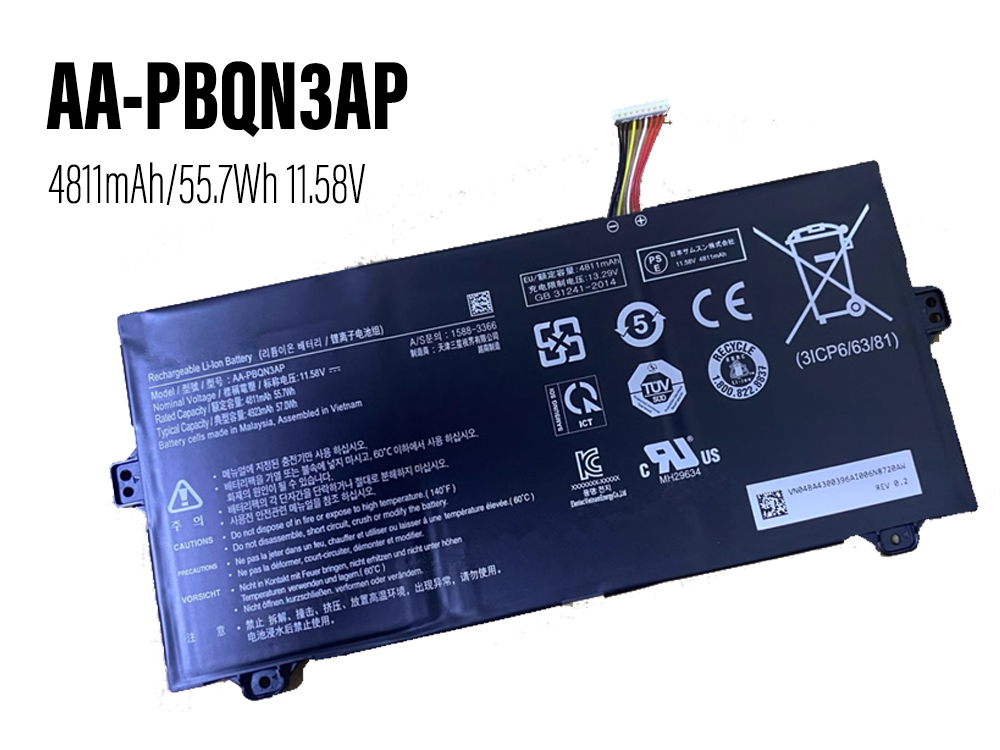
    AA-PBQN3AP

    We focus on providing high quality batteries and related accessories. This New AA-PBQN3AP Laptop Battery for Samsung 3ICP6/63/81 1588-3366 Notebook is designed for long-lasting and stable performance. It provides a one-year warranty and has passed CE / RoHS / ISO9001 safety certification. Fast delivery and thoughtful after-sales service will make you feel assured to purchase.
     
  • Brand: SAMSUNG Laptop Battery

  • Replaceable with the following models: AA-PBQN3AP

  • Rechargeable battery type : Li-ion

  • Color: Black

  • Current : 4811mAh/55.7Wh

  • Voltage : 11.58V

  • Capacity : 55.7Wh

  • Encoding : SAM23JA1809

  • Supported models : AA-PBQN3AP

  • SAMSUNG AA-PBQN3AP compatible Laptop Battery model:
    For Samsung 3ICP6/63/81 1588-3366 Notebook

  • Online store:
  • Ersatzakkus SAMSUNG AA-PBQN3AP

  • 互換 バッテリーSAMSUNG AA-PBQN3AP

  • Baterías para SAMSUNG AA-PBQN3AP

  • Akkus SAMSUNG AA-PBQN3AP

  • Batteria SAMSUNG AA-PBQN3AP

  • SAMSUNG AA-PBQN3APBatteria di ricambio

  • Batteria di alta qualità per SAMSUNG AA-PBQN3AP

  • SAMSUNG Battery
  • SAMSUNG AA-PBQN3AP Laptop Battery
    Compatible with Samsung 3ICP6/63/81 1588-3366 Notebook battery
    Brand: SAMSUNG Battery Capacity/Voltage : 4811mAh/55.7Wh 11.58V

  • SAMSUNG EB-BN935ABA Cell Phone Battery
    Compatible with SAMSUNG Galaxy Note 7 N935 battery
    Brand: SAMSUNG Battery Capacity/Voltage : 3500mAh/11.48WH 3.85V

  • SAMSUNG EB-BF732ABY Cell Phone Battery
    Compatible with SAMSUNG Galaxy Z Flip 5 battery
    Brand: SAMSUNG Battery Capacity/Voltage : 2700mAh/10.47WH 3.88V

  • SAMSUNG EB-BF731ABY Cell Phone Battery
    Compatible with SAMSUNG Galaxy Z Flip 5 battery
    Brand: SAMSUNG Battery Capacity/Voltage : 971mAh/3.76WH 3.88V

  • SAMSUNG EB-BJ700CBE Cell Phone Battery
    Compatible with SAMSUNG Galaxy J4/J7 Neo 2015/J7009 battery
    Brand: SAMSUNG Battery Capacity/Voltage : 3000mAh/11.55WH 3.85V

  • SAMSUNG EB-BF927ABY Cell Phone Battery
    Compatible with SAMSUNG PHONE battery
    Brand: SAMSUNG Battery Capacity/Voltage : 2280mAh/8.84WH 3.88V

  • SAMSUNG EB-BF900ABU Cell Phone Battery
    Compatible with SAMSUNG PHONE battery
    Brand: SAMSUNG Battery Capacity/Voltage : 2245mAh/8.65WH 3.85V

  • SAMSUNG EB-BF907ABA+EB-BF901ABU Cell Phone Battery
    Compatible with SAMSUNG Galaxy Fold 5G SM-F907N SM-F907B battery
    Brand: SAMSUNG Battery Capacity/Voltage : 2100mAh/8.09WH 3.85V

  •  

    How to care for your SAMSUNG AA-PBQN3AP Laptop Battery?


    This is the Replacement SAMSUNG AA-PBQN3AP Battery, You can extend the life of your laptop battery significantly through the proper care and handling of your battery.


    1. Any new AA-PBQN3AP battery should first be fully charged by leaving it plugged in overnight. Once a computer battery is fully charged it will no longer accept any more power. It is a common practice to leave laptops plugged in after they have been turned off so that the battery has a full charge the next time you use your laptop. It is probably fully charged within 5 hours.


    2. A brand new AA-PBQN3AP notebook battery is in a weakened condition since it has not been conditioned yet. Condition and break in your new battery by performing 5 partial discharge and recharge cycles the first week you receive your new battery.


    3. Run on battery power without the AC adapter cord at least once a week to keep the AA-PBQN3AP battery cells active and at their peak potential. When your laptop is plugged into the power adapter the battery goes to 'standby mode' while your laptop runs directly on electricity from the wall outlet.


    4. Even though your battery indicates it is fully charged, your battery will return to a weakened state again in a few months if it does not get some exercise through partial discharge and recharge cycles while running on battery power alone.


    5. If your AA-PBQN3AP battery has not been actively used 2 months or more, condition your battery again with 5 partial discharge & recharge cycles to increase the batteries capacity and run time.


    6. Don't run your battery all the way to empty. Your battery will have a longer service life if it receives shallow discharge and recharge cycles. Research has shown that the useful life of the battery will be much longer if you begin to recharge the battery any time before reaching 20% of the remaining power capacity. Recharging the AA-PBQN3AP battery even after 10 minutes will not reduce the battery's life span as lithium batteries do not have the memory effect which was found in older NiCad battery technology. NiCad batteries have never been used in laptops, even the earliest models.


    7. Never run your battery below the 2% critically low warning point. If your battery is run below this point it may not have enough energy to even recharge. This may effectively 'kill' your AA-PBQN3AP battery.


    anna 發表在 痞客邦 留言(0) 人氣()

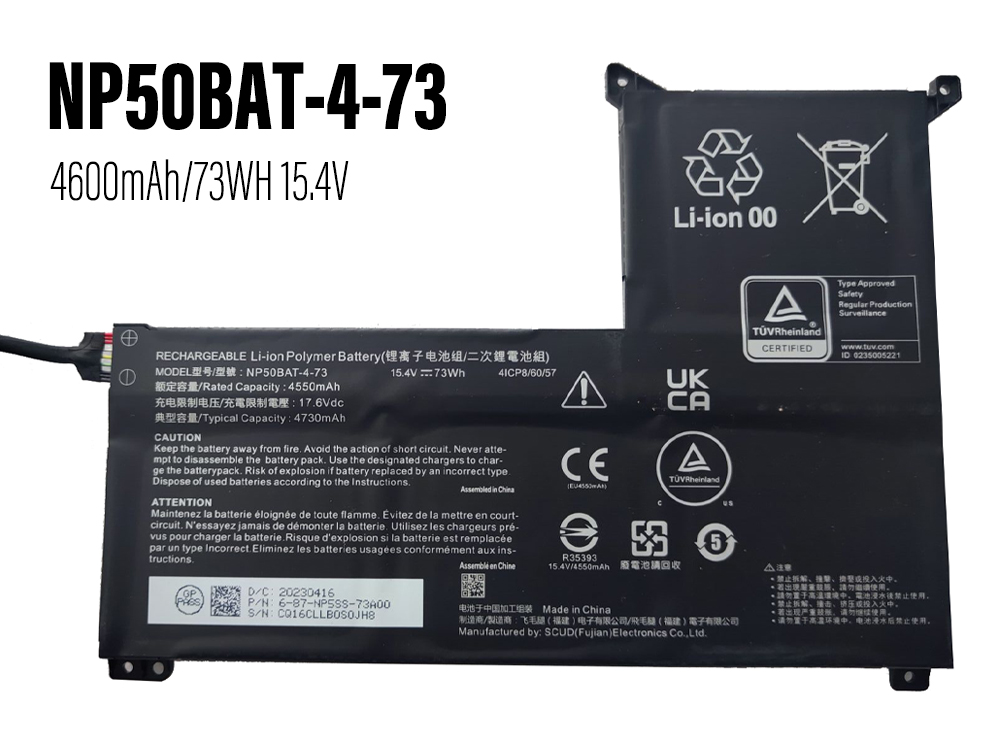
    NP50BAT-4-73

    We focus on providing high quality batteries and related accessories. This New NP50BAT-4-73 Laptop Battery for HASEE TX8R7/TX9R7/TX9R9 is designed for long-lasting and stable performance. It provides a one-year warranty and has passed CE / RoHS / ISO9001 safety certification. Fast delivery and thoughtful after-sales service will make you feel assured to purchase.
     
  • Brand: HASEE Laptop Battery

  • Replaceable with the following models: NP50BAT-4-73

  • Rechargeable battery type : Li-ion

  • Color: Black

  • Current : 4600mAh/73WH

  • Voltage : 15.4V

  • Capacity : 73WH

  • Encoding : 24BA0106C160

  • Supported models : NP50BAT-4-73

  • HASEE NP50BAT-4-73 compatible Laptop Battery model:
    For HASEE TX8R7/TX9R7/TX9R9
    For CLEVO X15AT X17AT-23 NP7861C

  • Online store:
  • Ersatzakkus HASEE NP50BAT-4-73

  • 互換 バッテリーHASEE NP50BAT-4-73

  • Baterías para HASEE NP50BAT-4-73

  • Akkus HASEE NP50BAT-4-73

  • Batteria HASEE NP50BAT-4-73

  • HASEE NP50BAT-4-73Batteria di ricambio

  • Batteria di alta qualità per HASEE NP50BAT-4-73

  • HASEE Battery
  • HASEE NP50BAT-4-73 Laptop Battery
    Compatible with HASEE TX8R7/TX9R7/TX9R9 battery
    Brand: HASEE Battery Capacity/Voltage : 4600mAh/73WH 15.4V

  • HASEE 524660 Laptop Battery
    Compatible with HASEE X4-2020S1/S2/S3 X4-2020G1 HAUS01 battery
    Brand: HASEE Battery Capacity/Voltage : 4500mAh/51.3Wh 11.4V

  • HASEE UTL-3987118-2S Laptop Battery
    Compatible with Hasee X1 G3 X3 D1 HKNS02 Business Laptop battery
    Brand: HASEE Battery Capacity/Voltage : 6000mAh/45.6Wh 7.6V

  • HASEE AIM-P707 Rechargeable Battery
    Compatible with Hasee AIM-P707 battery
    Brand: HASEE Battery Capacity/Voltage : 14940mAh/56Wh 3.75V

  • HASEE GI5KN-11-16-3S1P-0 Laptop Battery
    Compatible with Hasee Z7M-i7 R0 Z7M-SL7 D2 Z7M-i78172 D1, Z7-KP7GT F117-F2K Z7-KP7D2 Z7--KP7EC Z7-KP7GT, Z7-KP7GH Z7M-KP7G1 Z7M-XP5GH battery
    Brand: HASEE Battery Capacity/Voltage : 4100mAh/46.74Wh 11.4V

  • HASEE UTL-4743126-2S2P Laptop Battery
    Compatible with Hasee X5-2020A3 HINS01 KINGBOOK X57A1 battery
    Brand: HASEE Battery Capacity/Voltage : 7400mAh/56.24Wh 7.6V

  • HASEE 4569127-2S Laptop Battery
    Compatible with Hasee X4 D2 X3 D1 HNX4S01 40073245 3770300 battery
    Brand: HASEE Battery Capacity/Voltage : 5921mAh/45Wh 7.6V

  • HASEE UTL-3987118-2S Rechargeable Battery
    Compatible with HASEE X3 G1 X3 D1 HKNS02 01 laptop battery
    Brand: HASEE Battery Capacity/Voltage : 6000mAh/45.6Wh 7.6V

  •  

    How to care for your HASEE NP50BAT-4-73 Laptop Battery?


    This is the Replacement HASEE NP50BAT-4-73 Battery, You can extend the life of your laptop battery significantly through the proper care and handling of your battery.


    1. Any new NP50BAT-4-73 battery should first be fully charged by leaving it plugged in overnight. Once a computer battery is fully charged it will no longer accept any more power. It is a common practice to leave laptops plugged in after they have been turned off so that the battery has a full charge the next time you use your laptop. It is probably fully charged within 5 hours.


    2. A brand new NP50BAT-4-73 notebook battery is in a weakened condition since it has not been conditioned yet. Condition and break in your new battery by performing 5 partial discharge and recharge cycles the first week you receive your new battery.


    3. Run on battery power without the AC adapter cord at least once a week to keep the NP50BAT-4-73 battery cells active and at their peak potential. When your laptop is plugged into the power adapter the battery goes to 'standby mode' while your laptop runs directly on electricity from the wall outlet.


    4. Even though your battery indicates it is fully charged, your battery will return to a weakened state again in a few months if it does not get some exercise through partial discharge and recharge cycles while running on battery power alone.


    5. If your NP50BAT-4-73 battery has not been actively used 2 months or more, condition your battery again with 5 partial discharge & recharge cycles to increase the batteries capacity and run time.


    6. Don't run your battery all the way to empty. Your battery will have a longer service life if it receives shallow discharge and recharge cycles. Research has shown that the useful life of the battery will be much longer if you begin to recharge the battery any time before reaching 20% of the remaining power capacity. Recharging the NP50BAT-4-73 battery even after 10 minutes will not reduce the battery's life span as lithium batteries do not have the memory effect which was found in older NiCad battery technology. NiCad batteries have never been used in laptops, even the earliest models.


    7. Never run your battery below the 2% critically low warning point. If your battery is run below this point it may not have enough energy to even recharge. This may effectively 'kill' your NP50BAT-4-73 battery.


    anna 發表在 痞客邦 留言(0) 人氣()

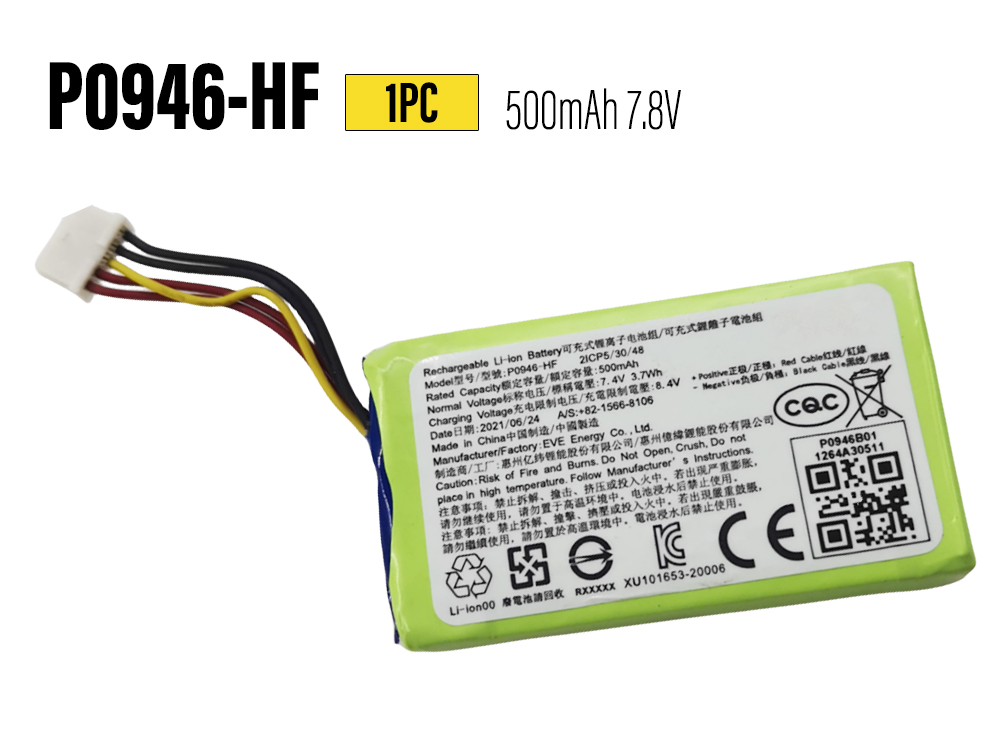
    HUAWEI-CV80

    Low Price & Brand new HUWEI CV80 Rechargeable Battery discount,the CV80 battery pack for HUAWEI Pocket Photo Printer CV80 save up top 30% off ! Our HUWEI battery replacement has built-in high-quality smart control chip to ensure perfect performance and compatibility. Quick, friendly and hassle-free customer support and a full one-year warranty: if something goes wrong, we are at your disposal.
     
  • Brand: HUWEI Rechargeable Battery

  • Replaceable with the following models: CV80

  • Rechargeable battery type : Li-ion

  • Color: Green

  • Current : 500mAh

  • Voltage : 7.8V

  • Encoding : ECN12966-Sca_Oth

  • Supported models : CV80 P0946-HF 923052 432948

  • HUWEI CV80 compatible Rechargeable Battery model:
    For HUAWEI Pocket Photo Printer CV80

  • Online store:
  • Ersatzakkus HUWEI CV80

  • 互換 バッテリーHUWEI CV80

  • Baterías para HUWEI CV80

  • Akkus HUWEI CV80

  • Batteria HUWEI CV80

  • HUWEI CV80Batteria di ricambio

  • Batteria di alta qualità per HUWEI CV80

  • HUWEI Battery
  • HUWEI CV80 Rechargeable Battery
    Compatible with HUAWEI Pocket Photo Printer CV80 battery
    Brand: HUWEI Battery Capacity/Voltage : 500mAh 7.8V

  •  

    Instructions for Use HUWEI CV80 battery


    1. Do not disassemble, puncture, modify, drop, throw on the ground or otherwise damage the battery.


    2. Do not immerse the Battery HUWEI CV80 in water or otherwise get wet.


    3. Do not use or charge battery that are leaking, appear to fade, rust or deform, emit odors or cause other abnormalities.


    4. Do not touch the leaked battery directly. Wear protective fabric to remove these battery and handle them immediately in the right way.


    anna 發表在 痞客邦 留言(0) 人氣()

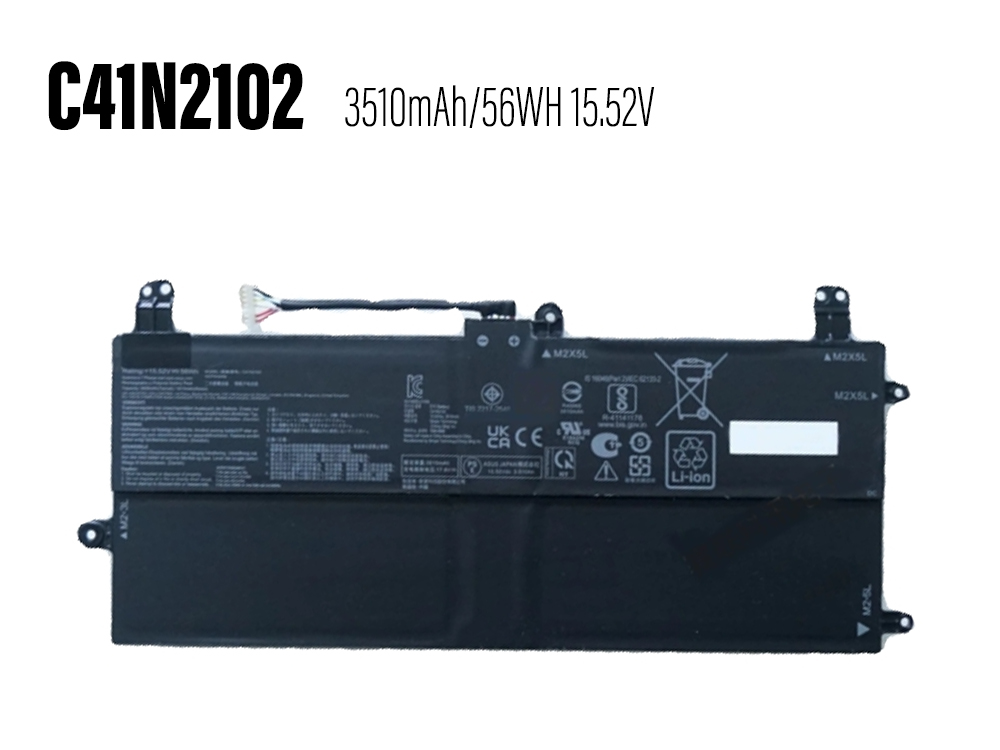
    C41N2102

    We focus on providing high quality batteries and related accessories. This New C41N2102 Laptop Battery for Asus ROG Flow Z13 GZ301 NR2201 Series is designed for long-lasting and stable performance. It provides a one-year warranty and has passed CE / RoHS / ISO9001 safety certification. Fast delivery and thoughtful after-sales service will make you feel assured to purchase.
     
  • Brand: ASUS Laptop Battery

  • Replaceable with the following models: C41N2102

  • Rechargeable battery type : Li-ion

  • Color: Black

  • Current : 3510mAh/56WH

  • Voltage : 15.52V

  • Capacity : 56WH

  • Encoding : 24BA0112C174

  • Supported models : C41N2102 C41N2102-1 0B200-04100000

  • ASUS C41N2102 compatible Laptop Battery model:
    For Asus ROG Flow Z13 GZ301 NR2201 Series
    For Asus ROG Flow Z13GZ301VF GZ301VI GZ301VU GZ301VV Series

  • Online store:
  • Ersatzakkus ASUS C41N2102

  • 互換 バッテリーASUS C41N2102

  • Baterías para ASUS C41N2102

  • Akkus ASUS C41N2102

  • Batteria ASUS C41N2102

  • ASUS C41N2102Batteria di ricambio

  • Batteria di alta qualità per ASUS C41N2102

  • ASUS Battery
  • ASUS C41N2102 Laptop Battery
    Compatible with Asus ROG Flow Z13 GZ301 NR2201 Series battery
    Brand: ASUS Battery Capacity/Voltage : 3510mAh/56WH 15.52V

  • ASUS C41N2110 Laptop Battery
    Compatible with Asus Zenbook 17 Fold OLED UX9702AA 0B200-042200 battery
    Brand: ASUS Battery Capacity/Voltage : 4705mAh/75WH 15.48V

  • ASUS C41N1825 Laptop Battery
    Compatible with ASUS ADOL13FN ADOL13U ADOL14FA X403FA-2C X403FA-2S battery
    Brand: ASUS Battery Capacity/Voltage : 4600mAh/72WH 15.4V

  • ASUS C41N1906-1 Laptop Battery
    Compatible with ASUS FA506Q FA506QR FA506QM FA706QM FX706H battery
    Brand: ASUS Battery Capacity/Voltage : 5675mAh/90WH 15.4V

  • ASUS C41N1906 Laptop Battery
    Compatible with ASUS GX550L GX550LWS GX550LXS GX551Q GX551QS battery
    Brand: ASUS Battery Capacity/Voltage : 5675mAh/90WH 15.4V

  • ASUS A41-X550A Laptop Battery
    Compatible with A450 A450CC A450LB A550 Series battery
    Brand: ASUS Battery Capacity/Voltage : 3350mAh/48Wh 14.4V/15V

  • ASUS C23-UX21 Laptop Battery
    Compatible with ASUS A450 A450CC A450LB A550 Series battery
    Brand: ASUS Battery Capacity/Voltage : 3600mAh/27WH 7.4V

  • ASUS C31N1907 Laptop Battery
    Compatible with Asus VivoBook 17 F712FA F712FB X712JA Series battery
    Brand: ASUS Battery Capacity/Voltage : 3940mAh/47WH 11.49V

  •  

    How to care for your ASUS C41N2102 Laptop Battery?


    This is the Replacement ASUS C41N2102 Battery, You can extend the life of your laptop battery significantly through the proper care and handling of your battery.


    1. Any new C41N2102 battery should first be fully charged by leaving it plugged in overnight. Once a computer battery is fully charged it will no longer accept any more power. It is a common practice to leave laptops plugged in after they have been turned off so that the battery has a full charge the next time you use your laptop. It is probably fully charged within 5 hours.


    2. A brand new C41N2102 notebook battery is in a weakened condition since it has not been conditioned yet. Condition and break in your new battery by performing 5 partial discharge and recharge cycles the first week you receive your new battery.


    3. Run on battery power without the AC adapter cord at least once a week to keep the C41N2102 battery cells active and at their peak potential. When your laptop is plugged into the power adapter the battery goes to 'standby mode' while your laptop runs directly on electricity from the wall outlet.


    4. Even though your battery indicates it is fully charged, your battery will return to a weakened state again in a few months if it does not get some exercise through partial discharge and recharge cycles while running on battery power alone.


    5. If your C41N2102 battery has not been actively used 2 months or more, condition your battery again with 5 partial discharge & recharge cycles to increase the batteries capacity and run time.


    6. Don't run your battery all the way to empty. Your battery will have a longer service life if it receives shallow discharge and recharge cycles. Research has shown that the useful life of the battery will be much longer if you begin to recharge the battery any time before reaching 20% of the remaining power capacity. Recharging the C41N2102 battery even after 10 minutes will not reduce the battery's life span as lithium batteries do not have the memory effect which was found in older NiCad battery technology. NiCad batteries have never been used in laptops, even the earliest models.


    7. Never run your battery below the 2% critically low warning point. If your battery is run below this point it may not have enough energy to even recharge. This may effectively 'kill' your C41N2102 battery.


    anna 發表在 痞客邦 留言(0) 人氣()

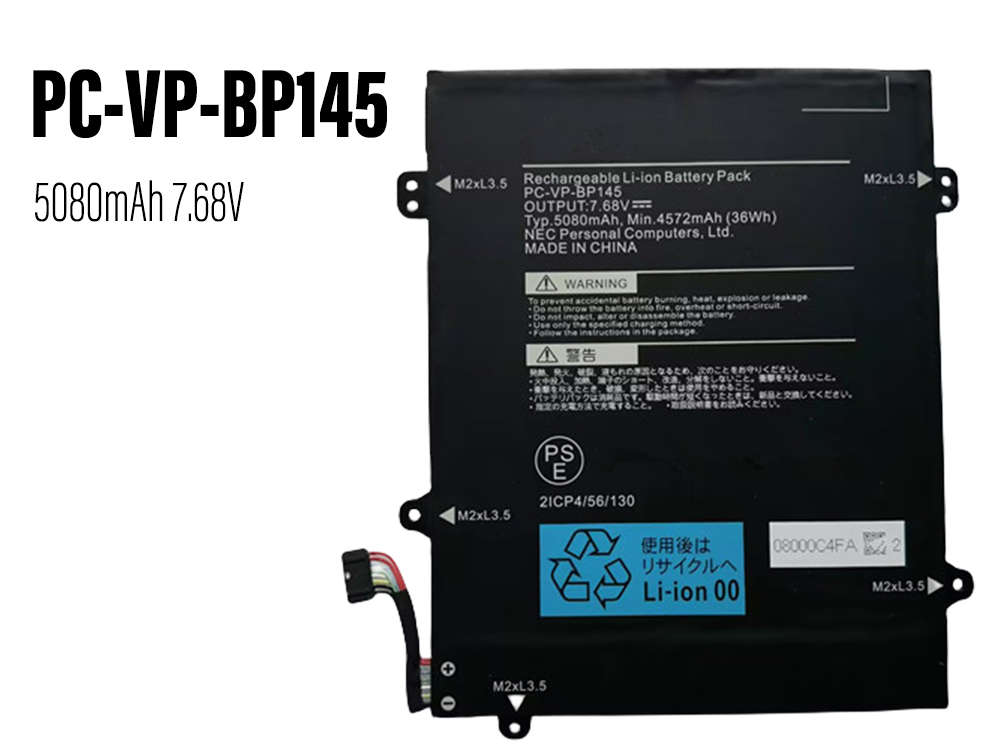
    PC-VP-BP145_5080mAh

    We focus on providing high quality batteries and related accessories. This New PC-VP-BP145 Laptop Battery for For NEC PC-VP-BP145 is designed for long-lasting and stable performance. It provides a one-year warranty and has passed CE / RoHS / ISO9001 safety certification. Fast delivery and thoughtful after-sales service will make you feel assured to purchase.
     
  • Brand: NEC Laptop Battery

  • Replaceable with the following models: PC-VP-BP145

  • Rechargeable battery type : Li-ion

  • Color: Black

  • Current : 5080mAh

  • Voltage : 7.68V

  • Encoding : NEC23JA1817

  • Supported models : PC-VP-BP145

  • NEC PC-VP-BP145 compatible Laptop Battery model:
    For NEC PC-VP-BP145

  • Online store:
  • Ersatzakkus NEC PC-VP-BP145

  • 互換 バッテリーNEC PC-VP-BP145

  • Baterías para NEC PC-VP-BP145

  • Akkus NEC PC-VP-BP145

  • Batteria NEC PC-VP-BP145

  • NEC PC-VP-BP145Batteria di ricambio

  • Batteria di alta qualità per NEC PC-VP-BP145

  • NEC Battery
  • NEC PC-VP-BP145 Laptop Battery
    Compatible with For NEC PC-VP-BP145 battery
    Brand: NEC Battery Capacity/Voltage : 5080mAh 7.68V

  • NEC PC-VP-BP141 Laptop Battery
    Compatible with NEC PC-VP-BP141 battery
    Brand: NEC Battery Capacity/Voltage : 3870mAh/30WH 7.68V

  • NEC PC-VP-BP149 Laptop Battery
    Compatible with NEC PC-VP-BP149 battery
    Brand: NEC Battery Capacity/Voltage : 4113mAh/48WH 11.58V

  • NEC PC-VP-BP145 Laptop Battery
    Compatible with NEC PC-VP-BP145 battery
    Brand: NEC Battery Capacity/Voltage : 4572mAh/36WH 7.68V

  • NEC PC-VP-BP144 Laptop Battery
    Compatible with NEC PC-VP-BP144 battery
    Brand: NEC Battery Capacity/Voltage : 3361mAh/38WH 11.25V

  • NEC PC-VP-BP117 Laptop Battery
    Compatible with NEC 4ICP5/59/71 9100321GB Series battery
    Brand: NEC Battery Capacity/Voltage : 2500mAh/40Wh 15.2V

  • NEC PC-VP-BP146 Laptop Battery
    Compatible with NEC PC-VP-BP146 battery
    Brand: NEC Battery Capacity/Voltage : 4504mAh/52Wh 11.52V

  • NEC PC-VP-BP129 Laptop Battery
    Compatible with NEC PC-VP-BP129 battery
    Brand: NEC Battery Capacity/Voltage : 3870mAh/45Wh 11.52V

  •  

    How to care for your NEC PC-VP-BP145 Laptop Battery?


    This is the Replacement NEC PC-VP-BP145 Battery, You can extend the life of your laptop battery significantly through the proper care and handling of your battery.


    1. Any new PC-VP-BP145 battery should first be fully charged by leaving it plugged in overnight. Once a computer battery is fully charged it will no longer accept any more power. It is a common practice to leave laptops plugged in after they have been turned off so that the battery has a full charge the next time you use your laptop. It is probably fully charged within 5 hours.


    2. A brand new PC-VP-BP145 notebook battery is in a weakened condition since it has not been conditioned yet. Condition and break in your new battery by performing 5 partial discharge and recharge cycles the first week you receive your new battery.


    3. Run on battery power without the AC adapter cord at least once a week to keep the PC-VP-BP145 battery cells active and at their peak potential. When your laptop is plugged into the power adapter the battery goes to 'standby mode' while your laptop runs directly on electricity from the wall outlet.


    4. Even though your battery indicates it is fully charged, your battery will return to a weakened state again in a few months if it does not get some exercise through partial discharge and recharge cycles while running on battery power alone.


    5. If your PC-VP-BP145 battery has not been actively used 2 months or more, condition your battery again with 5 partial discharge & recharge cycles to increase the batteries capacity and run time.


    6. Don't run your battery all the way to empty. Your battery will have a longer service life if it receives shallow discharge and recharge cycles. Research has shown that the useful life of the battery will be much longer if you begin to recharge the battery any time before reaching 20% of the remaining power capacity. Recharging the PC-VP-BP145 battery even after 10 minutes will not reduce the battery's life span as lithium batteries do not have the memory effect which was found in older NiCad battery technology. NiCad batteries have never been used in laptops, even the earliest models.


    7. Never run your battery below the 2% critically low warning point. If your battery is run below this point it may not have enough energy to even recharge. This may effectively 'kill' your PC-VP-BP145 battery.


    anna 發表在 痞客邦 留言(0) 人氣()

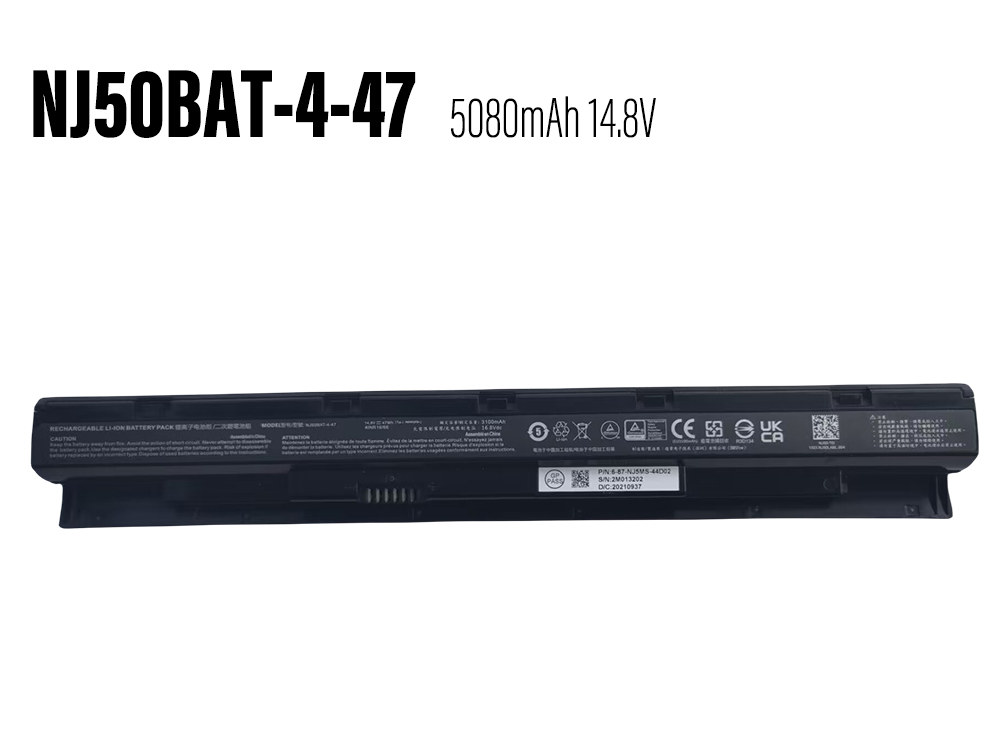
    NJ50BAT-4-47

    We focus on providing high quality batteries and related accessories. This New NJ50BAT-4-47 Laptop Battery for Clevo NJ50 NJ51MU Clevo NJ70 NJ71PU NJ71MU is designed for long-lasting and stable performance. It provides a one-year warranty and has passed CE / RoHS / ISO9001 safety certification. Fast delivery and thoughtful after-sales service will make you feel assured to purchase.
     
  • Brand: CLEVO Laptop Battery

  • Replaceable with the following models: NJ50BAT-4-47

  • Rechargeable battery type : Li-ion

  • Color: Black

  • Current : 5080mAh

  • Voltage : 14.8V

  • Encoding : CLE23JA1818

  • Supported models : NJ50BAT-4-47

  • CLEVO NJ50BAT-4-47 compatible Laptop Battery model:
    For Clevo NJ50 NJ51MU
    For Clevo NJ70 NJ71PU NJ71MU

  • Online store:
  • Ersatzakkus CLEVO NJ50BAT-4-47

  • 互換 バッテリーCLEVO NJ50BAT-4-47

  • Baterías para CLEVO NJ50BAT-4-47

  • Akkus CLEVO NJ50BAT-4-47

  • Batteria CLEVO NJ50BAT-4-47

  • CLEVO NJ50BAT-4-47Batteria di ricambio

  • Batteria di alta qualità per CLEVO NJ50BAT-4-47

  • CLEVO Battery
  • CLEVO NJ50BAT-4-47 Laptop Battery
    Compatible with Clevo NJ50 NJ51MU Clevo NJ70 NJ71PU NJ71MU battery
    Brand: CLEVO Battery Capacity/Voltage : 5080mAh 14.8V

  • CLEVO NV40BAT-4-73 Laptop Battery
    Compatible with Clevo NV40BAT-4-73 battery
    Brand: CLEVO Battery Capacity/Voltage : 4600mAh/73Wh 15.4V

  • CLEVO NP50BAT-4-73 Laptop Battery
    Compatible with CLEVO X15AT X17AT-23 NP7861C battery
    Brand: CLEVO Battery Capacity/Voltage : 4600mAh/73WH 15.4V

  • CLEVO V150BAT-3-41 Laptop Battery
    Compatible with Clevo Z7-DA5NS Z8-DA7NP G8-DA7NT laptop battery
    Brand: CLEVO Battery Capacity/Voltage : 41Wh 11.55V

  • CLEVO PD50BAT-6-80 Laptop Battery
    Compatible with Clevo PD50BAT-6-80 battery
    Brand: CLEVO Battery Capacity/Voltage : 6780mAh/80Wh 11.4V

  • CLEVO V150BAT-4-53 Laptop Battery
    Compatible with Clevo V150BAT-4-53 battery
    Brand: CLEVO Battery Capacity/Voltage : 3410mAh/53.35Wh 15.4V

  • CLEVO PD70BAT-6-80 Laptop Battery
    Compatible with Clevo PD70BAT-6-80 battery
    Brand: CLEVO Battery Capacity/Voltage : 6780mAh/80Wh 11.4V

  • CLEVO X270BAT-8-99 Laptop Battery
    Compatible with Clevo X270BAT-8-99 (4ICP7/60/57-2) battery
    Brand: CLEVO Battery Capacity/Voltage : 6780mAh/99Wh 15.2V

  •  

    How to care for your CLEVO NJ50BAT-4-47 Laptop Battery?


    This is the Replacement CLEVO NJ50BAT-4-47 Battery, You can extend the life of your laptop battery significantly through the proper care and handling of your battery.


    1. Any new NJ50BAT-4-47 battery should first be fully charged by leaving it plugged in overnight. Once a computer battery is fully charged it will no longer accept any more power. It is a common practice to leave laptops plugged in after they have been turned off so that the battery has a full charge the next time you use your laptop. It is probably fully charged within 5 hours.


    2. A brand new NJ50BAT-4-47 notebook battery is in a weakened condition since it has not been conditioned yet. Condition and break in your new battery by performing 5 partial discharge and recharge cycles the first week you receive your new battery.


    3. Run on battery power without the AC adapter cord at least once a week to keep the NJ50BAT-4-47 battery cells active and at their peak potential. When your laptop is plugged into the power adapter the battery goes to 'standby mode' while your laptop runs directly on electricity from the wall outlet.


    4. Even though your battery indicates it is fully charged, your battery will return to a weakened state again in a few months if it does not get some exercise through partial discharge and recharge cycles while running on battery power alone.


    5. If your NJ50BAT-4-47 battery has not been actively used 2 months or more, condition your battery again with 5 partial discharge & recharge cycles to increase the batteries capacity and run time.


    6. Don't run your battery all the way to empty. Your battery will have a longer service life if it receives shallow discharge and recharge cycles. Research has shown that the useful life of the battery will be much longer if you begin to recharge the battery any time before reaching 20% of the remaining power capacity. Recharging the NJ50BAT-4-47 battery even after 10 minutes will not reduce the battery's life span as lithium batteries do not have the memory effect which was found in older NiCad battery technology. NiCad batteries have never been used in laptops, even the earliest models.


    7. Never run your battery below the 2% critically low warning point. If your battery is run below this point it may not have enough energy to even recharge. This may effectively 'kill' your NJ50BAT-4-47 battery.


    anna 發表在 痞客邦 留言(0) 人氣()

    Blog Stats
    ⚠️

    成人內容提醒

    本部落格內容僅限年滿十八歲者瀏覽。
    若您未滿十八歲,請立即離開。

    已滿十八歲者,亦請勿將內容提供給未成年人士。